
Why Code Isn't the Hard Part Anymore
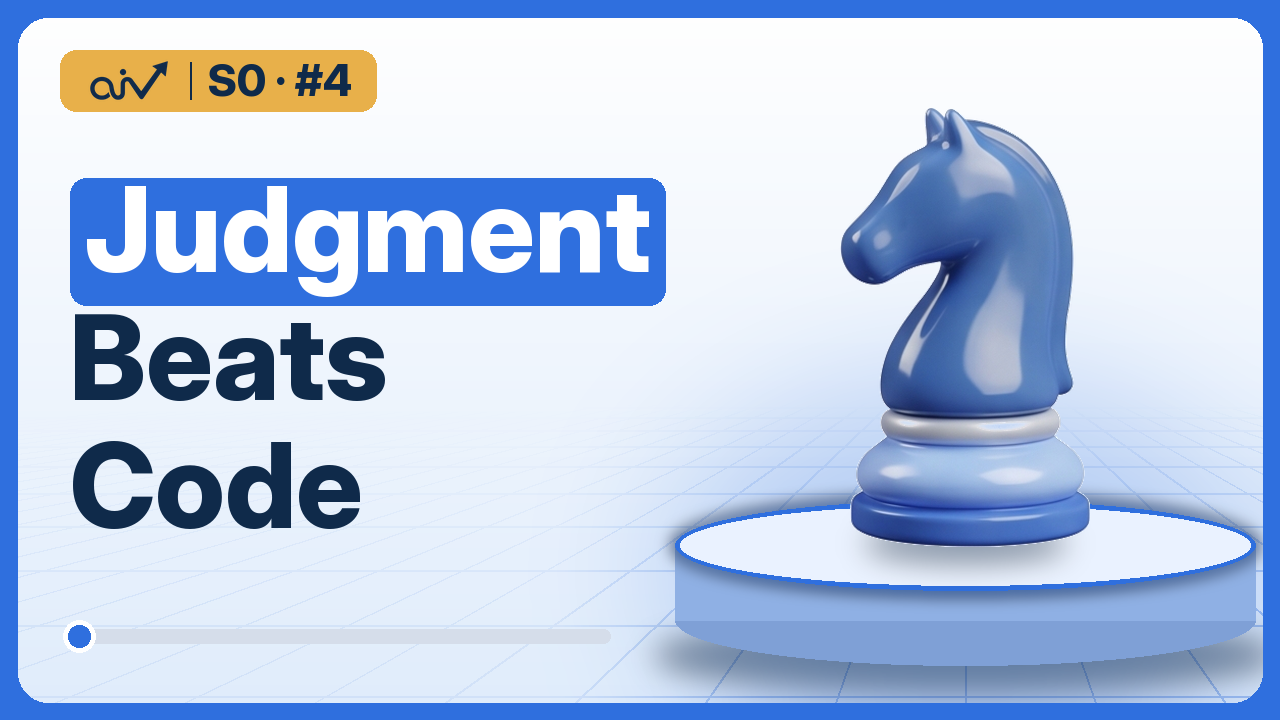
About This Lesson
AI tools like GitHub Copilot, Cursor and Claude Code can now write a working app in a few minutes, so is building software still worth learning? This lesson shows where the skill has moved: from writing code to judging it.
You watch an AI tool build a small bill splitter in about a minute, then see it fail on what real people type: a cent that vanishes and a crash on zero people. That is the happy path and the edge cases. Then the research: a McKinsey study where AI help shrinks on complex work, a LinkedIn team that reached 80% in one month and needed four more months to pass 95%, and the jagged edge of AI from Harvard Business School and BCG.
The lesson ends with judgment, deciding what to build, how and why, and two short lists of questions to ask before anyone writes code, applied to the same app, then read in a real job posting from athenahealth.
What You'll Learn
- What AI coding tools like GitHub Copilot, Cursor and Claude Code already do well
- What vibe coding is, and when it is risky
- The happy path and the edge cases, on an app an AI wrote in a minute
- Where AI help shrinks: the McKinsey study, demo vs product at LinkedIn, and the jagged edge of AI
- Judgment: the skill that's left when code gets easy
- Two short lists of questions to ask before you build: one about the code, one about the product
- What real job postings ask for: judgment about AI tools
Practise This Lesson on Paper
- The whole lesson, step by step
- Exercises and homework, with answers
- Interview questions, with model answers
- A reading list to go deeper
PDF, 28 pages, Version 1.0
Sources and References
Everything this lesson states was checked against these sources before it was published.
1 Job Posting3 Documents and Papers2 Books2 Further Reading
Job Postings in the Lesson
Integrate AI coding assistants and agentic development tools into everyday workflows, evaluate their fit for the team, and help establish shared norms for effective and responsible use in design, coding, testing, and review.
Principal Software Engineer, Payer Portal, athenahealth, Boston. Indeed, 2026.
Official Documents and Papers
- Unleashing developer productivity with generative AI
McKinsey & Company, 2023. Time saved with AI tools by task: documentation 45 to 50%, new code 35 to 45%, refactoring 20 to 30%, high-complexity tasks under 10%. 27 June 2023.
- Musings on building a Generative AI product
LinkedIn Engineering Blog, 2024. 80% of the experience they wanted in the first month, then four more months to pass 95%. April 2024.
- Navigating the Jagged Technological Frontier
Dell'Acqua and colleagues, Harvard Business School and Boston Consulting Group, 2023. A field experiment with 758 consultants; Working Paper 24-013, published in Organization Science, 2026.
The Books Behind This Lesson
This lesson was researched from these books. Read them to go deeper:
 AI Engineering
Chip Huyen, O'Reilly, 2025
 Designing Machine Learning Systems
Chip Huyen, O'Reilly, 2022
Further Reading
 Building AI-Powered Products
Marily Nika, O'Reilly, 2025
 Data Science
John D. Kelleher and Brendan Tierney, MIT Press, 2018
Corrections
None so far. If you spot an error, tell us in the comments under the video or at info@ai2hired.org.
Job postings belong to their companies; ai2hired is not affiliated with them. How sources are chosen and checked.
Transcript
Read the Full Transcript
A Demo Is Not a Product
AI tools can now write a working app in a few minutes, so it's fair to ask whether building software is still a skill worth learning. By the end of this video, you'll know the questions that turn a demo into a product, and why employers pay for the people who ask them.
Why Code Isn't the Hard Part Anymore
This is why code isn't the hard part anymore, the lesson about the skill every AI role needs most. Let's get into it.
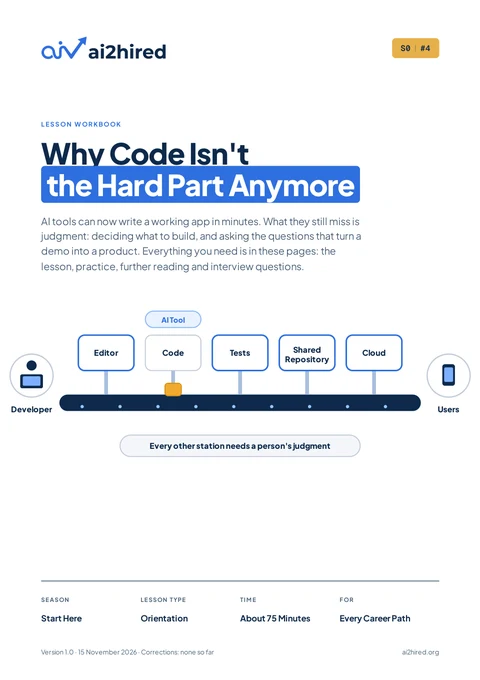
The Big Picture: From Your Laptop to Production
Here's the whole journey that software makes, from one person's idea to something that real people use every day. It starts on your laptop, where a developer writes the program in an editor, checks that it works, and keeps every version of it safe. Then it's shared with the team, who look over each change before it joins everyone else's work. And finally it runs in production, which means it's online and used by real people, who depend on it every single day.
AI tools can now write the code itself, the written instructions that tell a computer what to do, and they can do it in minutes. But look how much of the line is still left around that one station, and every one of those other stations needs a person's judgment. Today, we'll take an app an AI wrote in minutes and find out what it missed, because that's exactly where the real skill begins.
What AI Coding Tools Do
Remember the car from our lesson on AI jobs, the application that most AI jobs build around an engine someone else trained? And much of the car is code, which is exactly the part of the work that AI tools have changed the most.
GitHub Copilot, Cursor and Claude Code
Tools like GitHub Copilot, Cursor and Claude Code sit right inside the place where programmers write, and they turn a request typed in plain English into working code. An AI coding tool is an AI model built into a programmer's workspace, which writes and explains code from a request in plain words. These tools can write new code from a short request, explain what a piece of code does line by line, and write the documentation, the notes that explain how the code works.
They can even translate a whole program from one programming language into another.
Vibe Coding
Some people now build whole apps this way without ever reading the code, and that way of working has its own name, vibe coding. Vibe coding means building software mostly by describing what you want to an AI and accepting what it writes. It's great for a quick experiment, and risky for an app that real people use every day.
An App an AI Wrote in a Minute
So let's watch it happen with a small app of our own, a bill splitter for friends at a restaurant. We ask an AI tool for an app that splits the bill, and in about a minute it hands us one that works. Eighty euros between four friends comes out at twenty euros each, which is exactly right. It looks finished, so the real question is whether it actually is.
Where They Still Go Wrong: Real Inputs
Now let's try what real people will actually do with an app like this. Three friends sharing a hundred euros get thirty-three euros and thirty-three cents each, which adds up to ninety-nine euros and ninety-nine cents, so one cent has quietly vanished. And when someone types zero people by mistake, the app tries to split the bill between nobody and simply crashes. Each of these is a bug, a mistake that makes software do the wrong thing.
The Happy Path and the Edge Cases
What the AI built is called the happy path, the one situation the app was written for, where everything goes exactly as planned. It missed the edge cases, the unusual situations at the edges of normal use, like someone typing letters instead of a number, and real users find those within the first hour.
Where AI Helps Least: The McKinsey Study
The same gap shows up in research, not just in our little app. In a 2023 study by McKinsey, developers using these tools cut the time spent on documentation by about half, and the time for writing new code by around forty percent. Improving code that already works, which programmers call refactoring, took about a quarter less time. But on the most complex tasks, where the bigger picture mattered, the time saved fell below ten percent.
And a demo, a version that works well enough to show,
Demo vs Product: 80% in One Month
is only the beginning of a product used by real people. When engineers at LinkedIn built one of their first generative AI features, they reached eighty percent of the experience they wanted in the first month. It took the team four more months to push past ninety-five percent, because that last stretch was full of edge cases, and those take most of the time.
The Jagged Edge of AI
Researchers from Harvard Business School and Boston Consulting Group have a picture for all of this, a frontier with a jagged edge. AI is excellent at some tasks and surprisingly weak at others that look just as hard, and the only way to find the line is by trying. In their experiment with hundreds of real consultants, the ones using AI worked about a quarter faster on tasks inside the edge, and got more of the work done.
But on one task chosen outside the edge, they were nineteen percentage points less likely to reach the right answer, and their wrong answers even sounded more convincing.
Judgment: The Skill That's Left
So if writing code is getting easier, the part that's left is the one AI can't do for you, and it's called judgment. Judgment means deciding what to build, how to put it together, and why one way is better than another, both before and after the code gets written. There's an old difference between programming and engineering, and AI is making it much sharper. A programmer writes the code that was asked for, while an engineer also asks why it was asked, what else it touches, and what happens when it fails.
AI tools are becoming very fast programmers, so the engineer's questions are the part that stays with you. Does that mean nobody needs to understand code anymore, since the app runs anyway? It's actually the opposite, because you can't judge code you can't read, and that's why this course still teaches you to write it yourself. And the more the AI writes, the more often you'll be making these calls, so judgment matters more now than it ever did.
Questions About the Code
Professionals ask two short lists of questions before anyone writes a line, and the first list is about the code. Who uses it, and for what, which here means friends with their phones at the end of a dinner. What should happen when it works and when it fails, so a wrong number gets a clear message instead of a crash. Then comes what if, asked again and again, like what if there are zero people, or a hundred euros between three, or someone types letters instead of a number.
And after every answer, the last question is simply what else, which is how you find the cases nobody mentioned, like the tip, or the friend who only had a drink. Remember the bill splitter we got from an AI tool a few minutes ago? With those answers, it now shows a clear message for zero people, and the three shares add up to exactly a hundred euros. Each answer also becomes a test, a small automatic check that the code still does what it should, so the same bug can never quietly come back.
Questions About the Product
The second list is about the product, and it starts one step earlier, by asking why build it at all. Every phone already has a calculator, so our app has to save friends real time or trouble to be worth making. The next question asks whether AI is the core of the product or just a bonus, and here's the surprise, because this app needs no AI at all, even though an AI wrote it. Then comes who checks the result, and whenever money is involved, a person should always be able to see how each share was calculated.
And finally, what is good enough, which for a bill splitter means speed is nice, but a missing cent is never acceptable.
Crawl, Walk, Run: Who Checks the Result
Many teams give AI more freedom step by step, the way a child learns to crawl long before walking and running. At first the AI suggests and a person decides, then the AI handles the simple cases by itself, and only much later does it act on its own. The picture breaks in one place, because AI doesn't grow up evenly, so a team can trust it to run on one task and still need it to crawl on another task.
Company Code, and the Rule for Every Project
And at work, one question comes before all of these, because a company's private code can only go into the AI tools the company has approved, and never into just any chatbot. So here's the rule to keep from this lesson, for every project you ever work on. Judgment is the job, so ask before you build.
What Employers Look For
You can see all of this in real job postings, like this one from athenahealth, a healthcare software company in Boston. One of its duties says, integrate AI coding assistants and agentic development tools into everyday workflows, evaluate their fit for the team. It goes on, help establish shared norms for effective and responsible use in design, coding, testing, and review. Agentic tools are AI tools that can take several steps on their own.
Notice that the company expects AI in the work, and then looks for someone who decides how it's used. And under experience, it asks for proven experience making and defending system-level architectural decisions, not only implementing within an existing design. Architectural decisions are the choices about how the parts of a system fit together, and being able to defend them is judgment at its highest level. This is a senior role that asks for many years of experience, and nobody reaches that level in a single lesson.
But every senior engineer started by asking these same questions about small things, so the habit starts now, with the very first app you build.
How This Course Trains Judgment
That's why every lesson in this course gives you the why before the how, explaining why a tool exists and when to choose it, before showing how it works. The predict moments ask you to think before you see the answer. And the skill lessons end with a mini project, a small real project you build yourself, where you make the calls on your own. And whatever you build, keep the two lists from this lesson close by, because they work on every project, with or without AI.
Recap
Here's the quick recap of everything we've covered in this lesson. AI coding tools can now write, explain and translate code in minutes, and that's a huge help on simple work. But they build the happy path and miss the edge cases, their help shrinks on complex tasks, and the jagged edge means you only find their limits by trying. That's why judgment is the job, deciding what to build and why, and two short lists of questions, one about the code and one about the product, are where it starts.
The exercises, further reading and interview questions for this lesson are in the free workbook on ai2hired. org, linked in the description. So before you build anything, with an AI or without one, ask the questions first.